
Download NordVPN – Secure, Fast, and Unlimited VPN Solution
Overview
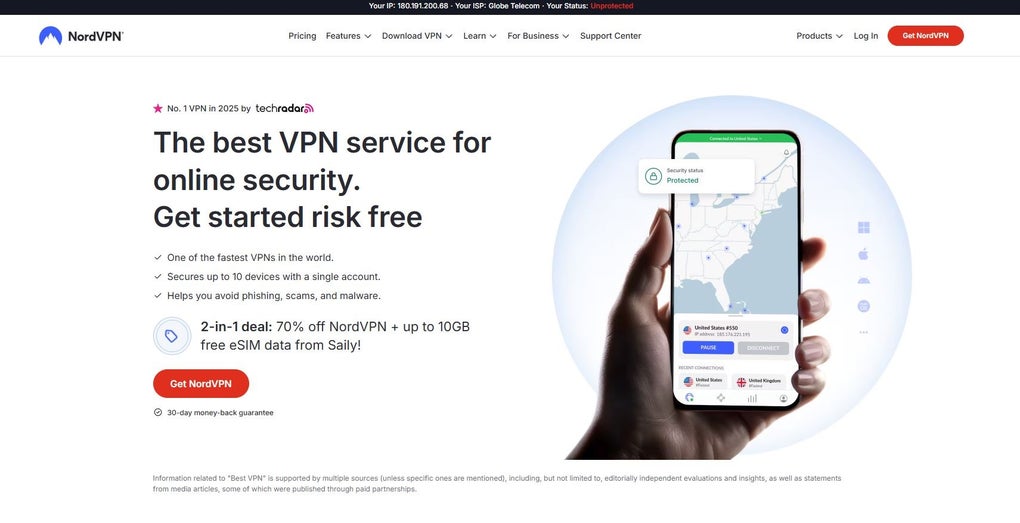
NordVPN stands out as a comprehensive VPN solution designed for anyone who values online privacy, security, and unrestricted access to digital content. Built on a robust network of over 5,400 servers in 60+ countries, the service encrypts every byte of internet traffic, shielding users from hackers, ISPs, and intrusive trackers. Whether you are browsing from a coffee shop’s public Wi‑Fi, streaming your favorite shows abroad, or simply wanting to keep your personal data out of the hands of advertisers, NordVPN provides a reliable, one‑click connection that works across Windows, macOS, Android, iOS, and Linux platforms.
The subscription model allows you to protect up to ten devices simultaneously, making it an ideal choice for families or small businesses. Beyond the core encryption, NordVPN incorporates advanced features such as CyberSec (malware and phishing protection), Double VPN (double‑hop encryption), and dedicated IP addresses for users who need a static online identity. With a 30‑day money‑back guarantee and flexible billing plans ranging from monthly to multi‑year options, the service removes the financial risk for newcomers while delivering consistent performance and regular updates.
In short, NordVPN is more than a privacy tool; it is a full‑featured security suite that blends speed, usability, and a strong privacy policy into a single, user‑friendly application.
Key Features of NordVPN
- Military‑Grade Encryption: Uses AES‑256‑GCM encryption with 2048‑bit DH keys to secure every connection.
- Kill Switch: Instantly blocks internet traffic if the VPN tunnel drops, preventing data leaks.
- CyberSec Suite: Blocks ads, malware, and phishing attempts, enhancing browsing safety.
- Double VPN & Onion Over VPN: Routes traffic through two or more servers for extra anonymity.
- No‑Logs Policy: Independent audits confirm that NordVPN does not store activity or connection logs.
- Dedicated IP Options: Offers static IP addresses for users needing consistent remote access.
- SmartPlay Streaming Optimizer: Guarantees smooth streaming on platforms like Netflix, Hulu, and BBC iPlayer.
- Automatic Server Selection: Connects you to the fastest server based on location and load.
- Multi‑Platform Support: Native apps for Windows, macOS, Linux, Android, iOS, and browser extensions.
- 30‑Day Money‑Back Guarantee: Risk‑free trial with full refund if expectations aren’t met.
Each of these features works together to create a seamless, secure experience. The Kill Switch, for example, is automatically enabled by default on most platforms, ensuring that even if the VPN connection drops unexpectedly, your IP address and data remain hidden. Meanwhile, the CyberSec suite operates in the background, filtering out malicious domains before they can reach your device—an essential layer of protection when you’re downloading files or clicking on links from unfamiliar sources. For streaming enthusiasts, the SmartPlay optimizer bypasses geoblocks without sacrificing speed, meaning you can watch your favorite shows from anywhere without buffering. And because NordVPN’s no‑logs policy is verified by third‑party auditors, you can trust that the company isn’t secretly storing your browsing history, a reassurance that many free VPN alternatives simply cannot provide.
Installation, Usage, and Compatibility Guide
Getting started with NordVPN is intentionally straightforward, regardless of the device you own. First, visit the official NordVPN website and click the “Download” button for your operating system. The installer is available for Windows (7, 8, 10, 11), macOS (10.12+), Linux distributions, Android (5.0+), and iOS (12+). After downloading, run the installer and follow the on‑screen prompts: accept the license agreement, choose the installation folder (default is recommended), and click “Install.” Once the application launches, you’ll be prompted to log in with the credentials created during purchase. If you haven’t purchased a plan yet, you can start a free 30‑day trial directly from the app.
Upon logging in, the main dashboard presents a large “Quick Connect” button that automatically selects the fastest nearby server. For more granular control, click “Servers” to browse the full list, filter by country, specialty (Double VPN, P2P, Onion Over VPN), or even view server load percentages. Selecting a server initiates a secure tunnel in seconds, after which the app displays your new IP address and a connection status indicator. The built‑in “Kill Switch” toggles on automatically, but you can adjust its behavior in the Settings menu under “Advanced.” Here you’ll also find options for “Auto‑Connect” on startup, split tunneling (choose which apps bypass the VPN), and DNS leak protection.
NordVPN’s cross‑platform compatibility ensures you can protect every device in your household. Windows and macOS versions include system‑wide VPN integration, while Android and iOS apps use native VPN APIs for optimal performance and battery efficiency. Linux users can configure the service via the command line or graphical client, and router firmware support (e.g., AsusWRT, DD‑WRT) allows you to secure every device on your network without installing individual apps. Browser extensions for Chrome and Firefox add an extra layer of convenience, letting you enable or disable the VPN directly from your browser toolbar. Whether you’re on a desktop, laptop, smartphone, tablet, or even a smart TV that supports VPN apps, NordVPN’s seamless installation process and consistent user experience make it a reliable choice for securing your digital life.
Pros, Cons, Frequently Asked Questions, and Final Verdict
Pros
- Fast, reliable connections with minimal speed loss.
- Extensive server network across 60+ countries.
- Strong security suite (AES‑256, Kill Switch, CyberSec).
- Easy-to-use apps for all major operating systems.
- 30‑day money‑back guarantee removes purchase risk.
- No‑logs policy verified by independent audits.
Cons
- Price is higher than some budget VPNs, especially on month‑to‑month plans.
- Occasional server overload in less‑popular regions.
- Advanced features (Double VPN, Dedicated IP) require manual setup.
Frequently Asked Questions
Can I use NordVPN on multiple devices at the same time?
Yes. A single NordVPN subscription allows you to protect up to ten devices simultaneously, covering computers, smartphones, tablets, and even routers.
Does NordVPN keep any logs of my activity?
No. NordVPN operates under a strict no‑logs policy, meaning it does not store traffic, connection timestamps, or IP address information. Independent audits have confirmed this claim.
Will NordVPN slow down my internet speed?
While any VPN introduces a small amount of overhead, NordVPN’s high‑performance servers and optimized protocols (NordLynx, OpenVPN) keep speed loss typically under 10 %, often making it unnoticeable for everyday browsing and streaming.
Is there a free version of NordVPN?
NordVPN does not offer a permanently free tier, but new users can try the service risk‑free for 30 days with a full money‑back guarantee. Occasionally, limited‑time promotions provide discounted trial periods.
How do I get a refund if I’m not satisfied?
Simply contact NordVPN’s 24/7 live chat support within 30 days of purchase, request a refund, and the amount will be returned to your original payment method without any questions.
Conclusion – Should You Download NordVPN?
If you’re looking for a VPN that balances high‑speed performance with industry‑leading security, NordVPN is a compelling choice. Its extensive feature set—ranging from basic encryption to advanced Double VPN and CyberSec—covers the needs of casual browsers, frequent travelers, and power users alike. The ability to protect up to ten devices on a single plan means families or small teams can stay safe without juggling multiple subscriptions.
While the price point is modestly higher than some budget options, the combination of a 30‑day money‑back guarantee, proven no‑logs policy, and consistent speed makes the investment worthwhile. Ready to protect your online life? Download NordVPN now and enjoy a safer, freer internet experience.



.png)



